Bringing together text detection, redaction decisions and configurable handling of DICOM metadata.
My role
Developed the anonymization tool
Focus
Vision-language models · Florence-2
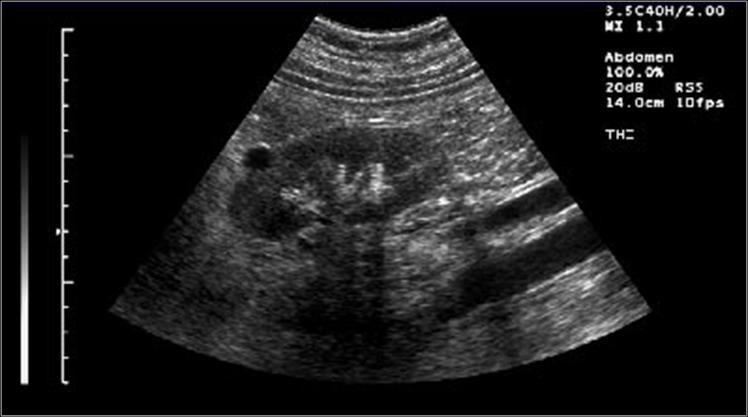
Example ultrasound · Schomynv / Wikimedia Commons · Public domain. The interactive comparison uses synthetic identifiers and a synthetic ultrasound image. It demonstrates the redaction interaction; it does not run Florence-2 or process DICOM files.
My contribution.
What I built
The anonymization tool: Florence-2 text detection, redaction rules and configurable DICOM metadata handling.
How it works
The tool handles metadata and pixels separately, and its rules set what to remove, what to keep and what to flag for review.
Context.
Identifying information can live in both DICOM metadata and the pixels of an image. These require different handling, with careful attention to the formats a tool supports.
My approach.
I developed a tool using Florence-2 for text detection, rules to decide which regions to redact, and configurable metadata handling. The processed output returns to the calling application.
Inspect image and metadata
Locate embedded text
Apply redaction rules
Return processed output
Project considerations.
Anonymization involves more than finding text. The workflow needs explicit decisions about what to remove, what to preserve and which cases need additional review. Image formats and multiframe data also need deliberate handling.
Synthetic image · no DICOM files processed
Try the visual explanation.
US · Synthetic sample4 fictional identifiers
OriginalAnonymized
Drag to reveal
A synthetic ultrasound image with four fictional identifiers. Drag horizontally or use the arrow keys. Home reveals the anonymized image; End reveals the original. Only the text regions are covered; the underlying image stays identical.
Drag the handle across the image
Synthetic image & data · visual demonstration
Explore the anonymization workflowFrom incoming DICOM to processed output
Step 1 of 6
One file. Two places to check.
Identifying information can be stored in DICOM tags and burned into image pixels.
Example DICOM tags
PatientName
DEMO^PATIENT
PatientID
TEST-0128
BirthDate
19700101
Modality
US
Incoming metadata
Incoming pixels
4 example identifiersImage content preserved
Source application supplies the DICOM file.
Receive · step 1 of 6
Prepared visual explanation based on the supplied walkthrough. Synthetic image and identifiers; no file is processed.
1 min 20 sec
See the complete anonymizer workflow.
Conceptual walkthrough supplied by Olivia, with example data and illustrative results. Playback starts when you choose.
Read the workflow description
Receive
The source application supplies a DICOM file containing metadata and image pixels.
Metadata
Configured rules replace or clear identifying tags. The image pixels are unchanged at this stage.
Locate text
Florence-2 OCR locates text and its boundaries in the image.
Select
Text rules and device-layout information help choose sensitive regions; useful technical text can be retained.
Redact
Selected text regions are covered in the image pixels.
Return
The processed DICOM, with updated metadata and pixels, returns to the calling application.